


Refer to the detailed instructions below for guidance on editing the layout, query, and content of the Services and Testimonials, which are available on the Home - Small Company page.
You can repeat the steps below for editing the layout, query, and content of the Services, Projects, and Testimonials, which are available on the Home - Medium Company page, or any Loop Grid or Carousel throughout the entire site.
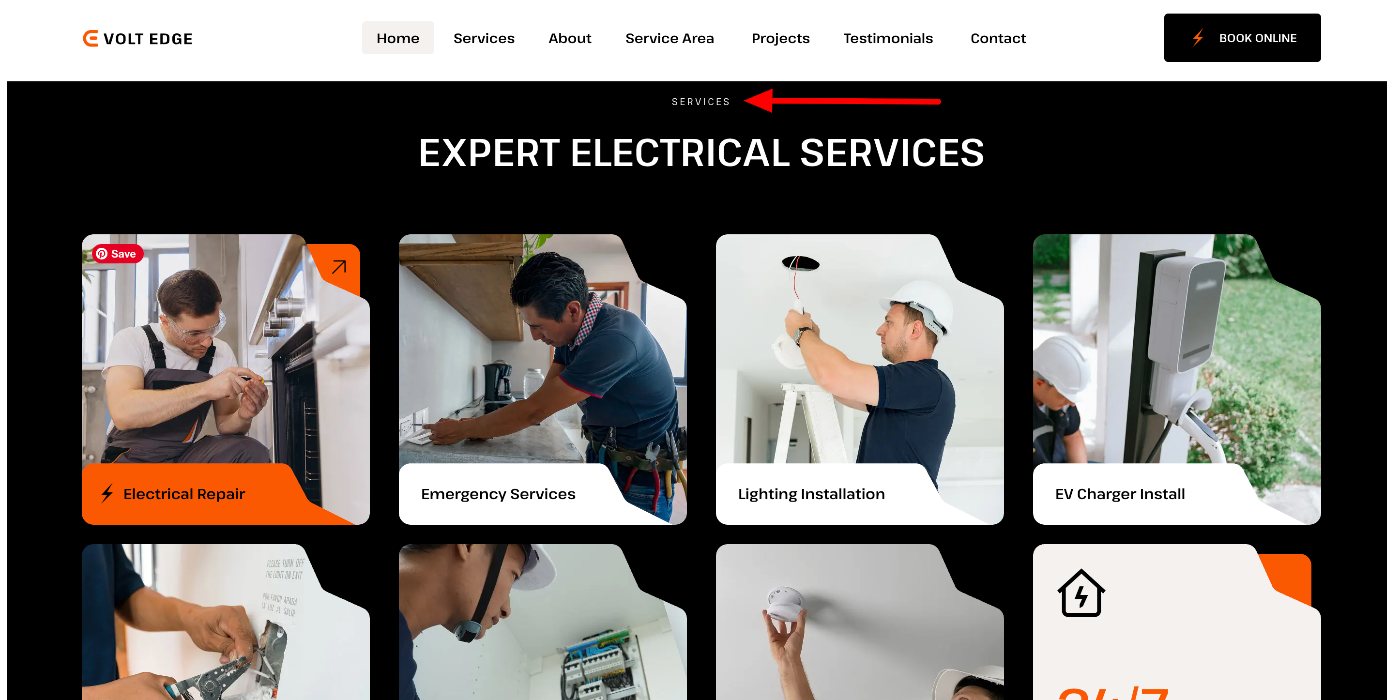
The Loop Builder enables you to create and design the main item for repeating content (i.e. loops), such as listings, and customize its layout on the page.
https://elementor.com/blog/introducing-the-loop-builder/
https://elementor.com/help/how-do-i-build-a-loop-grid/
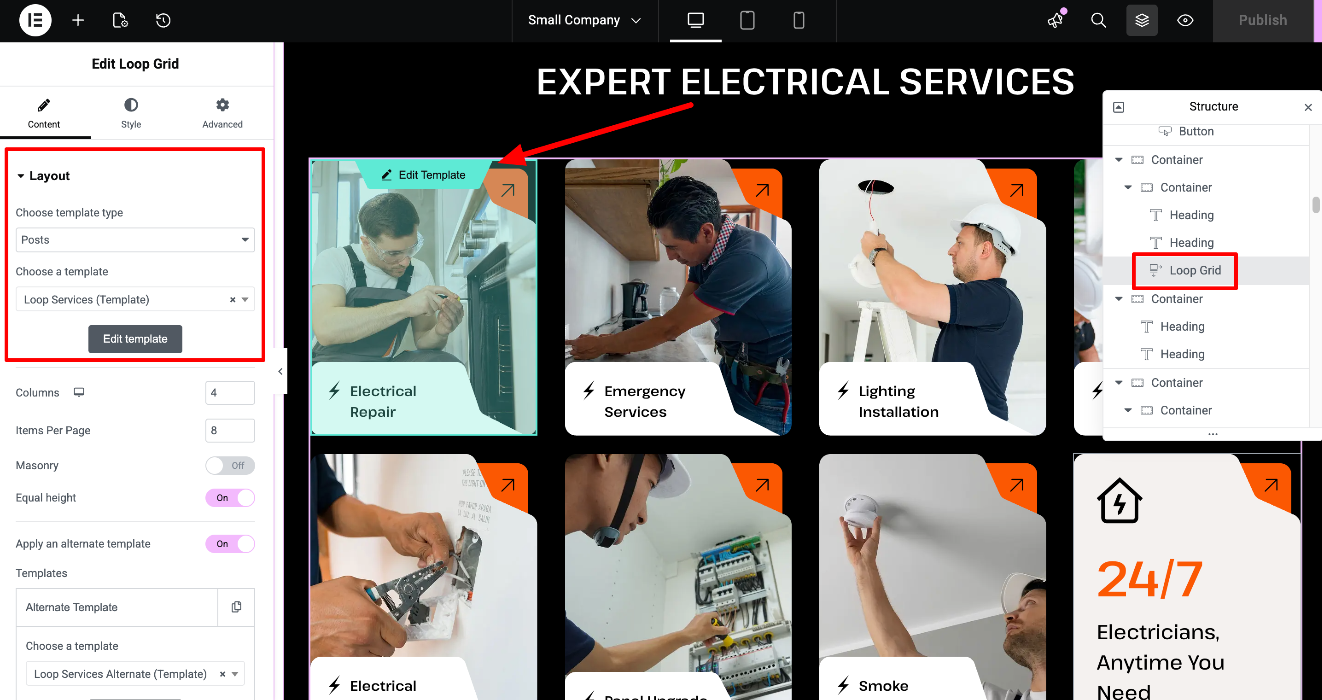
How to edit the main item template of the Services Loop?
Edit the page with Elementor > Locate the Loop Grid / Carousel widget:
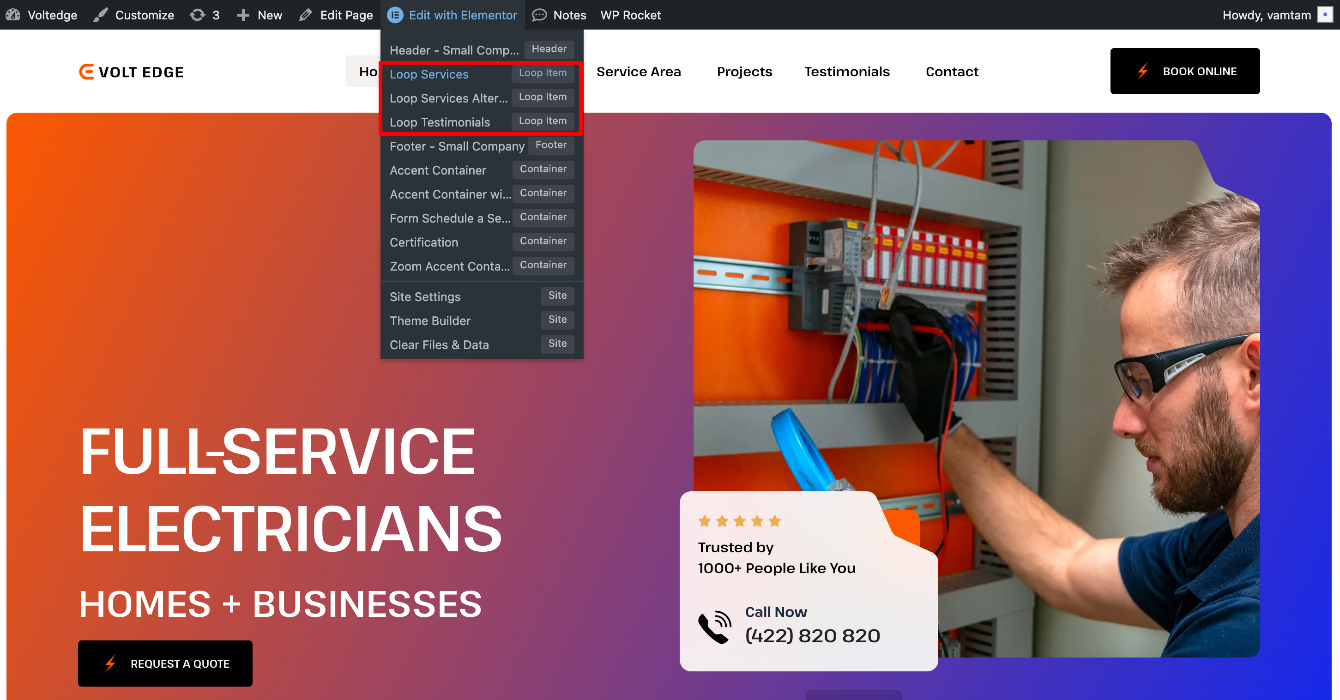
You can also access the widget & template from the toolbar - "Loop Services" for this example:
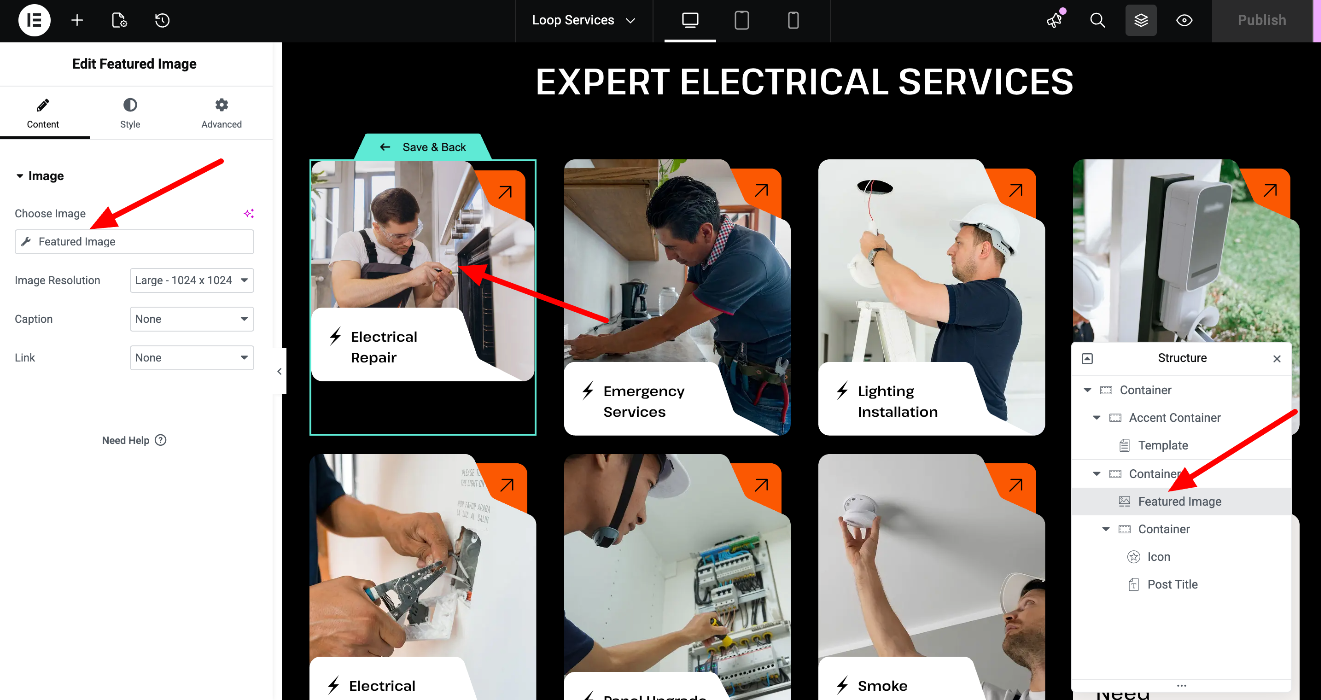
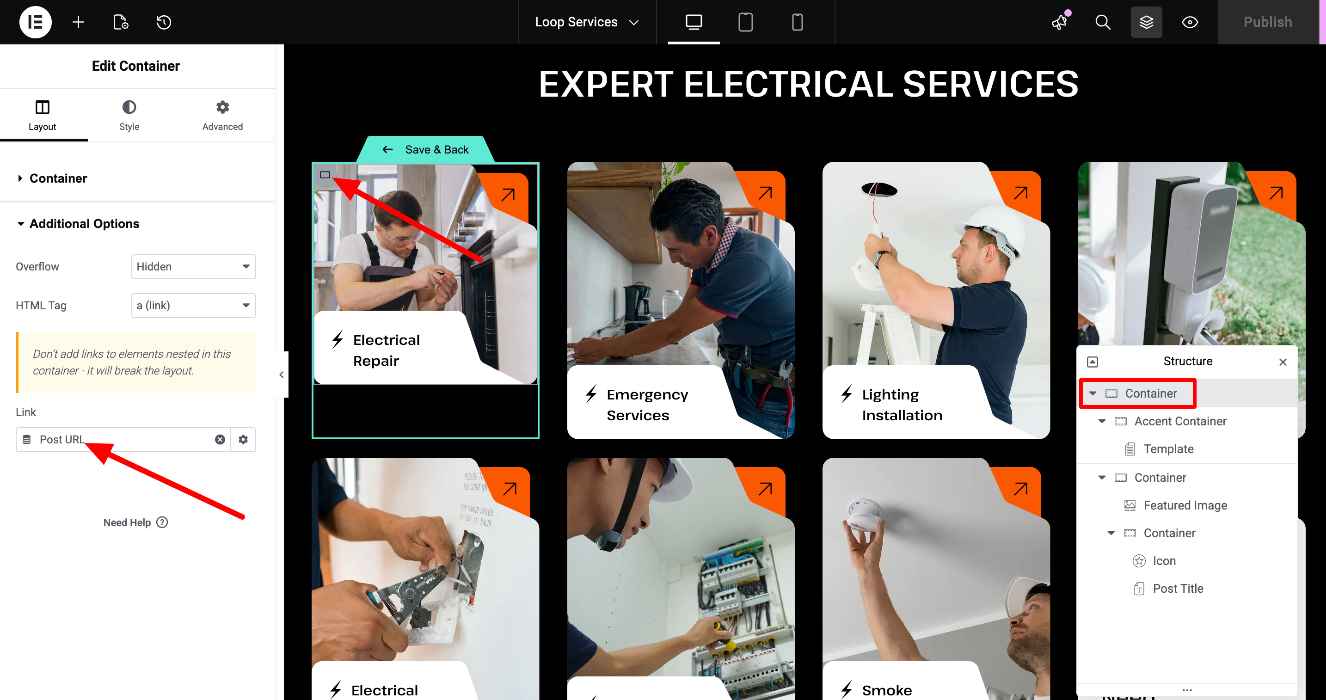
The main item template usually contains widgets with dynamic tags (https://developers.elementor.com/docs/dynamic-tags/), so they pull the individual content of each post.
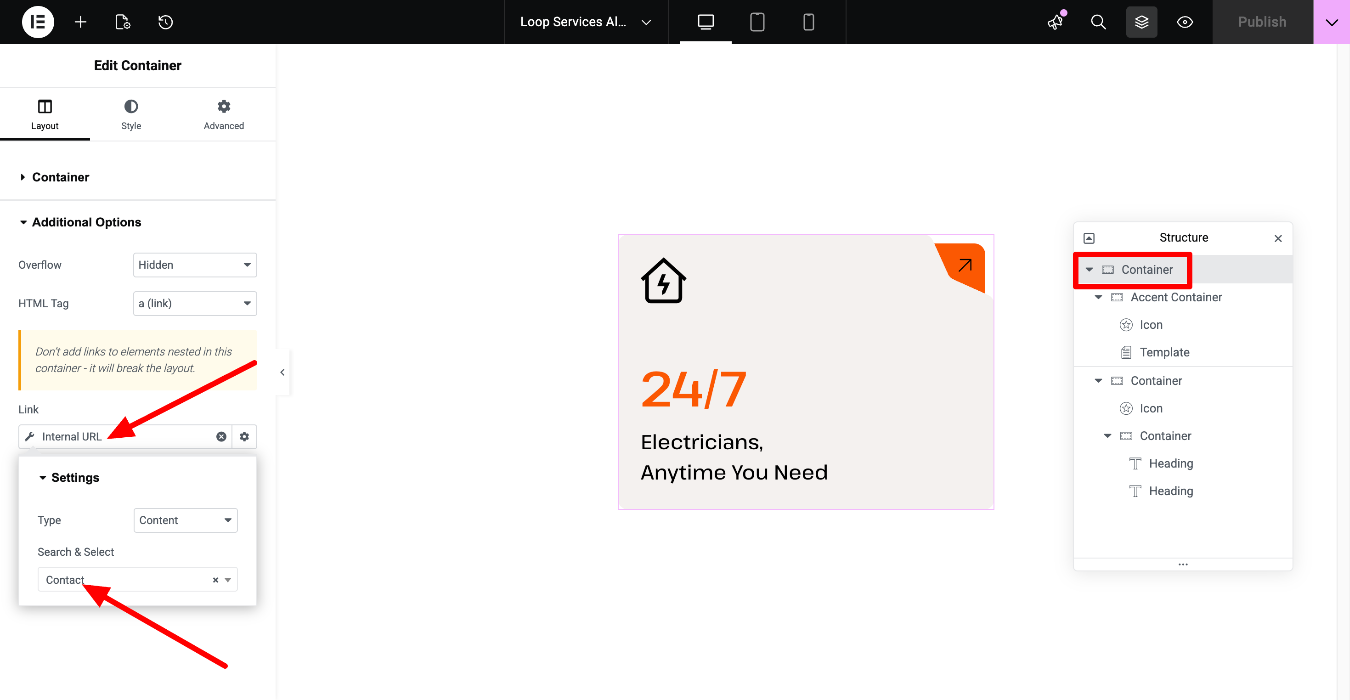
The link is set into this container's additional options:
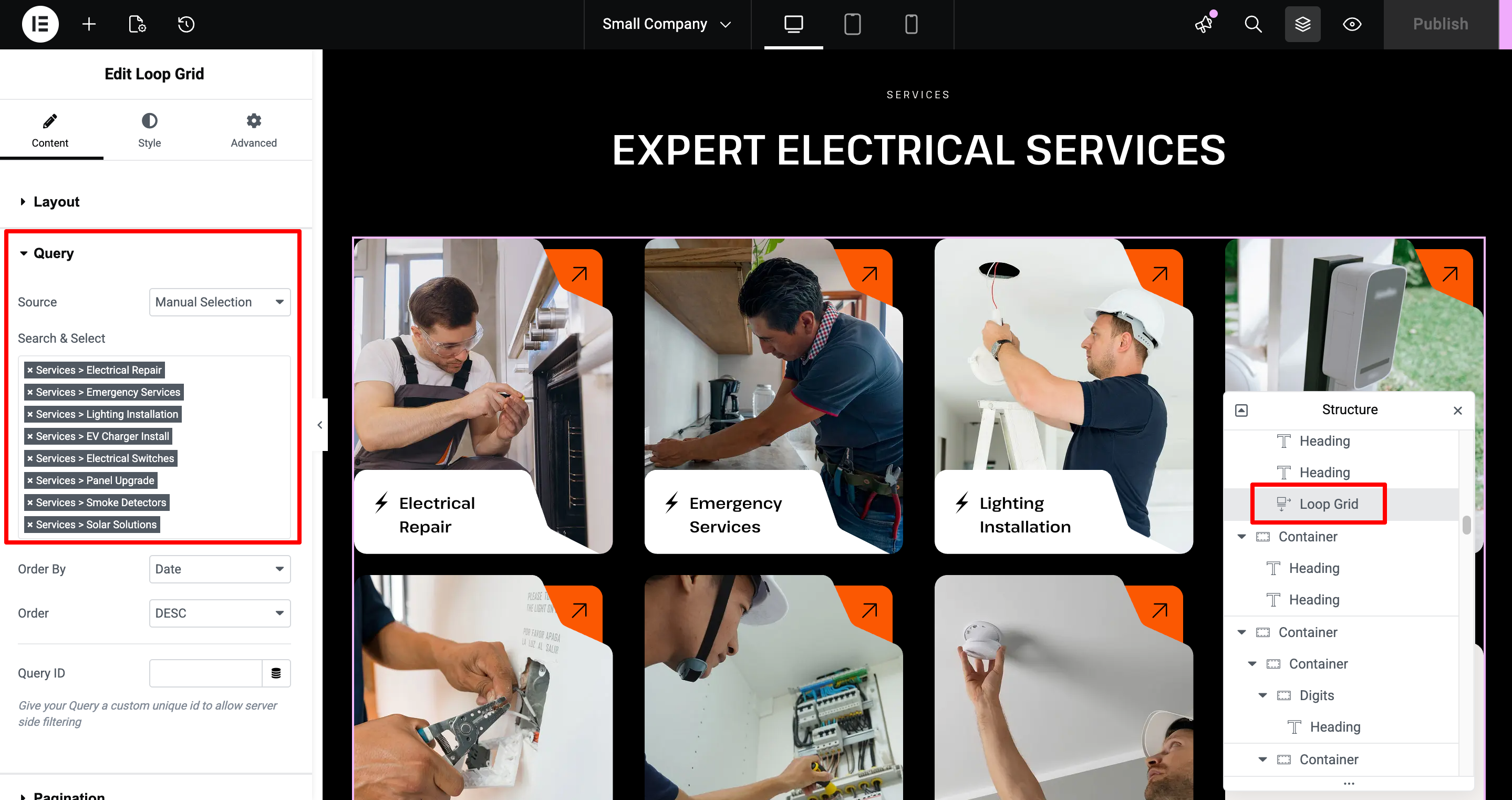
How to edit the Loop Services template's query?
Edit the page with Elementor > Open the Query tab of the Loop carousel widget, and edit the source, order, etc.
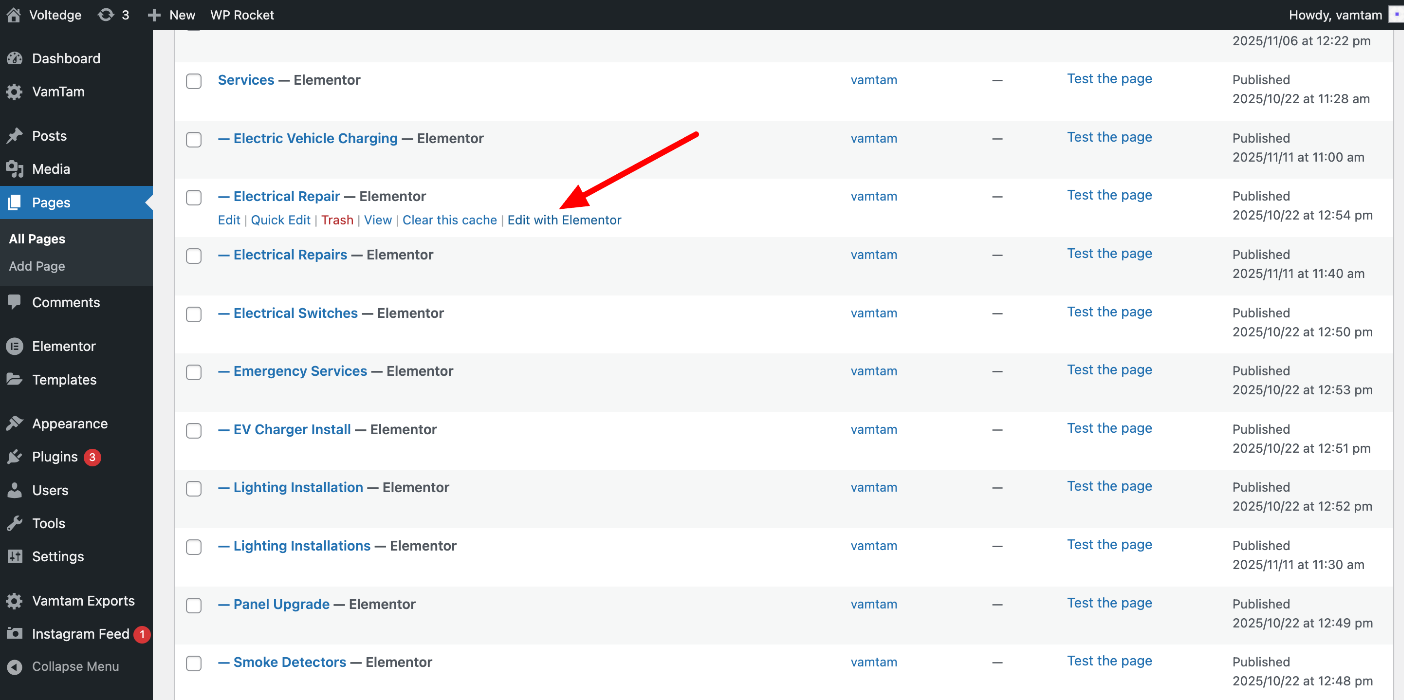
How to edit the Loop Services individual page information?
You can also watch the screencast here: https://www.awesomescreenshot.com/video/56650262?key=b5dab45ed25e5b35c05fb6c64558f4f7
Go to Dashboard > Pages / Posts > Locate each page / post and edit it with Elementor:
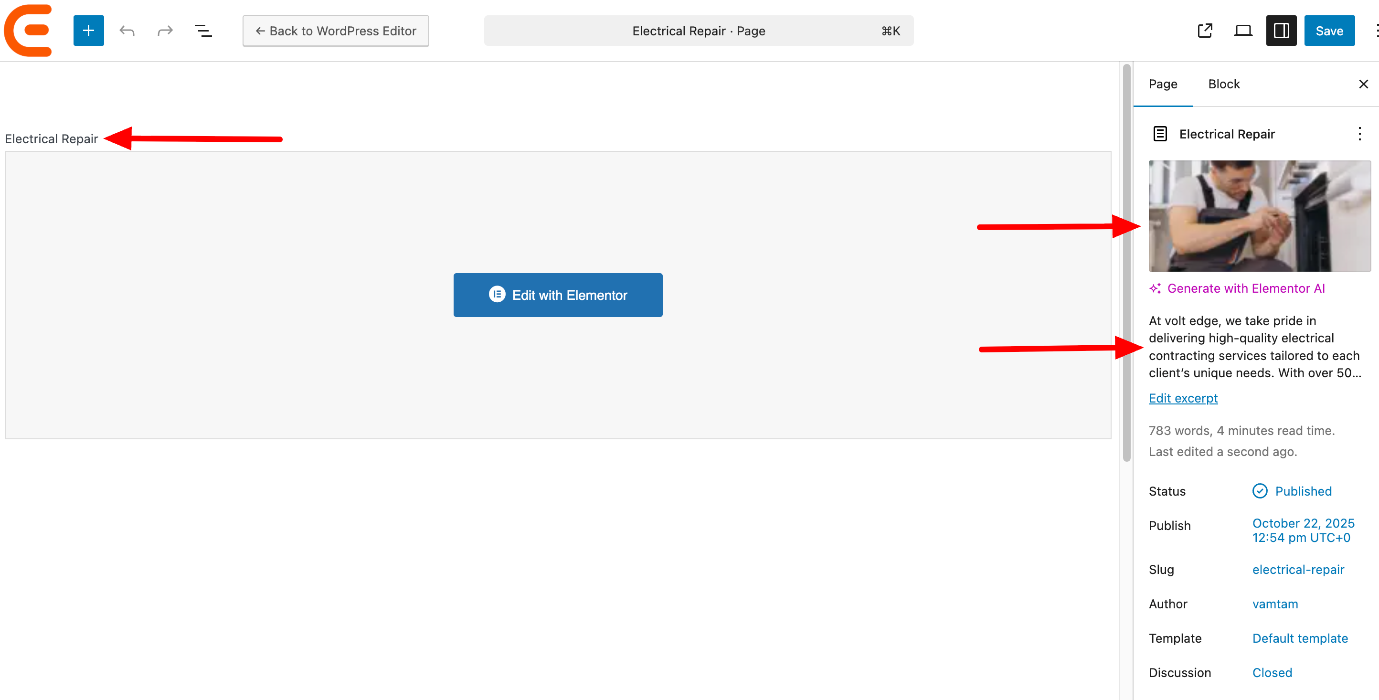
You can access the Page settings: Title, Featured image, Excerpt, Custom fields, etc. the standard WordPress way:
Troubleshooting
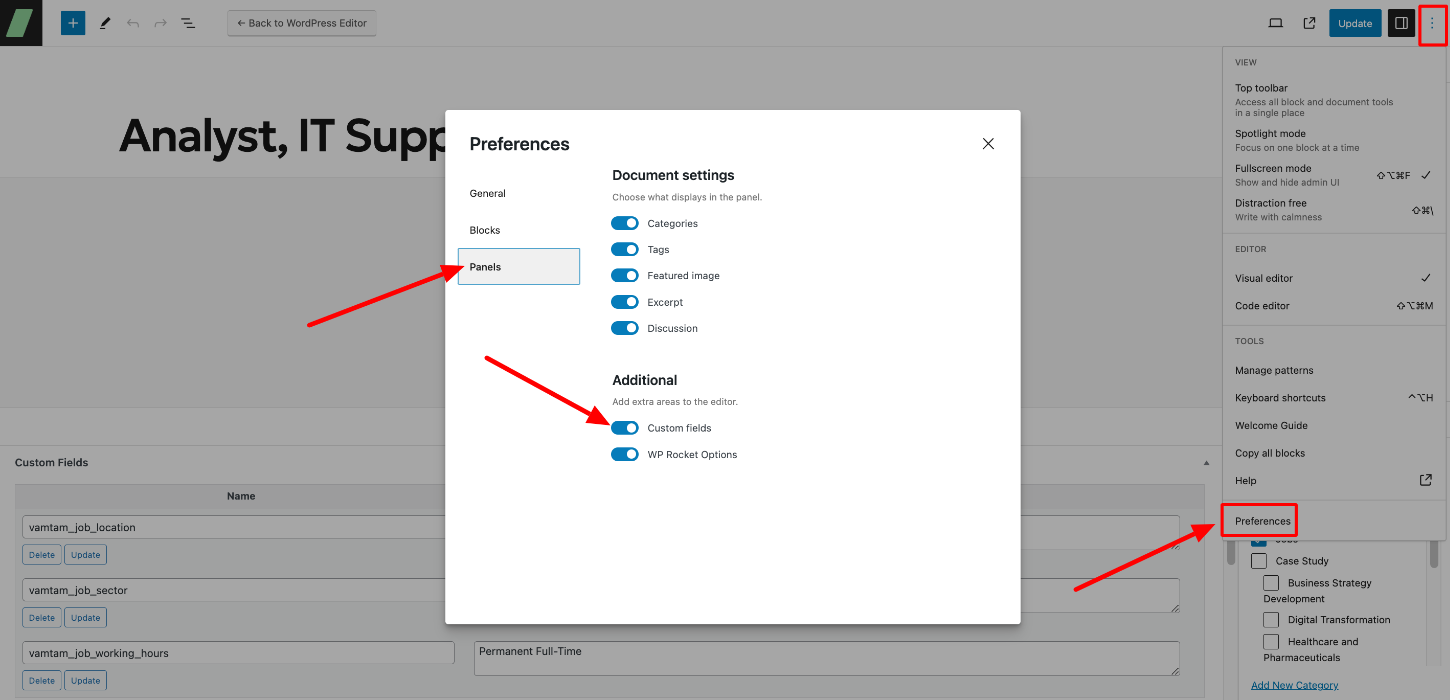
In you don't see the page's Custom Fields, click on Preferences > Panels > Additional > turn on the "Custom Fields" toggle:
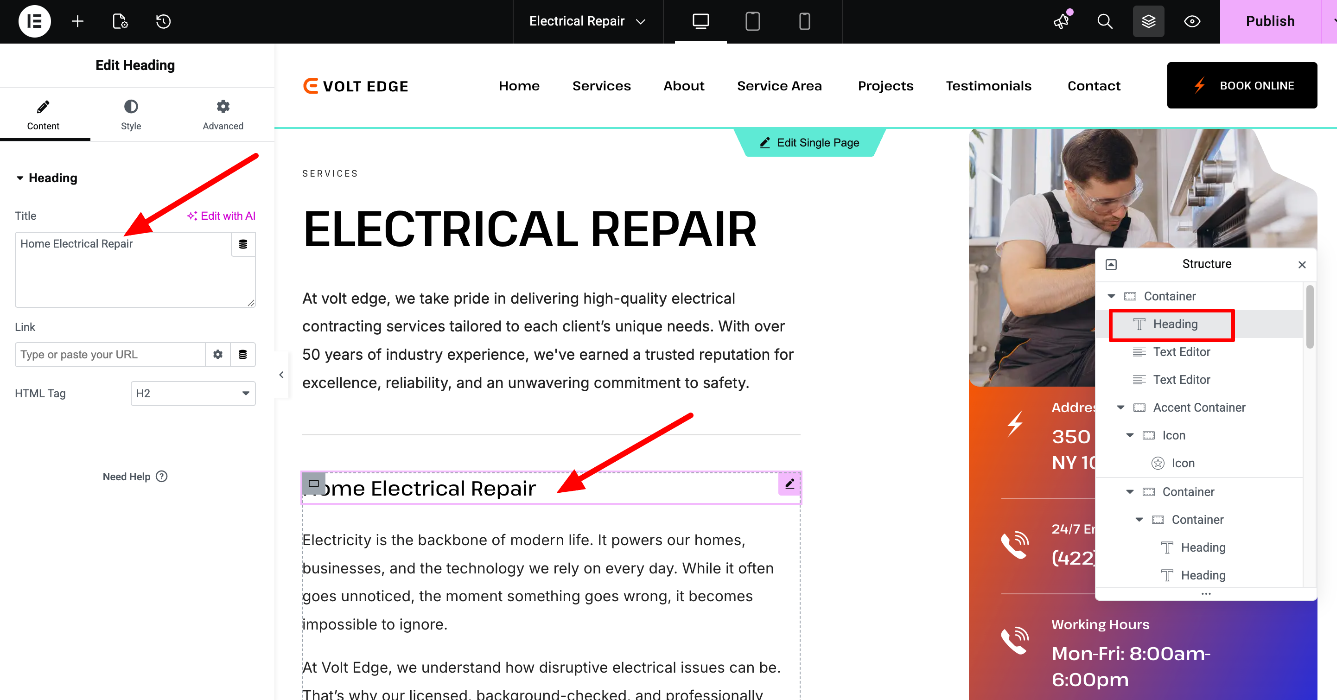
Edit the post's content easily with Elementor, by locating each widget in the Navigator (The "Structure" section on the right):
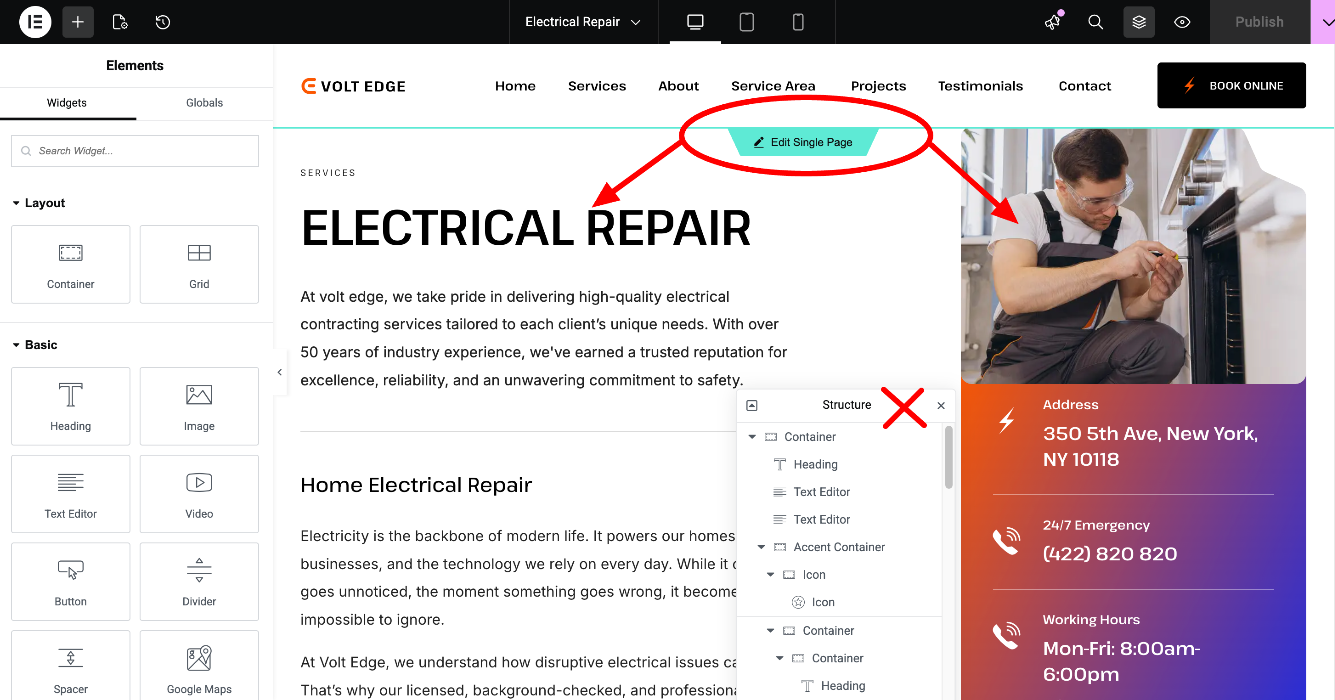
Some of the page's elements aren't accessible in the Navigator. You can locate and edit them in the Single page template. Editing the Single page template will affect the design and layout of all connected pages - check more about the global templates here https://elementor.com/help/single-page-site-part/
Note that an alternate template is applied to this loop grid:
Loop Services Alternate Template applies to every 8-th position of the loop grid:
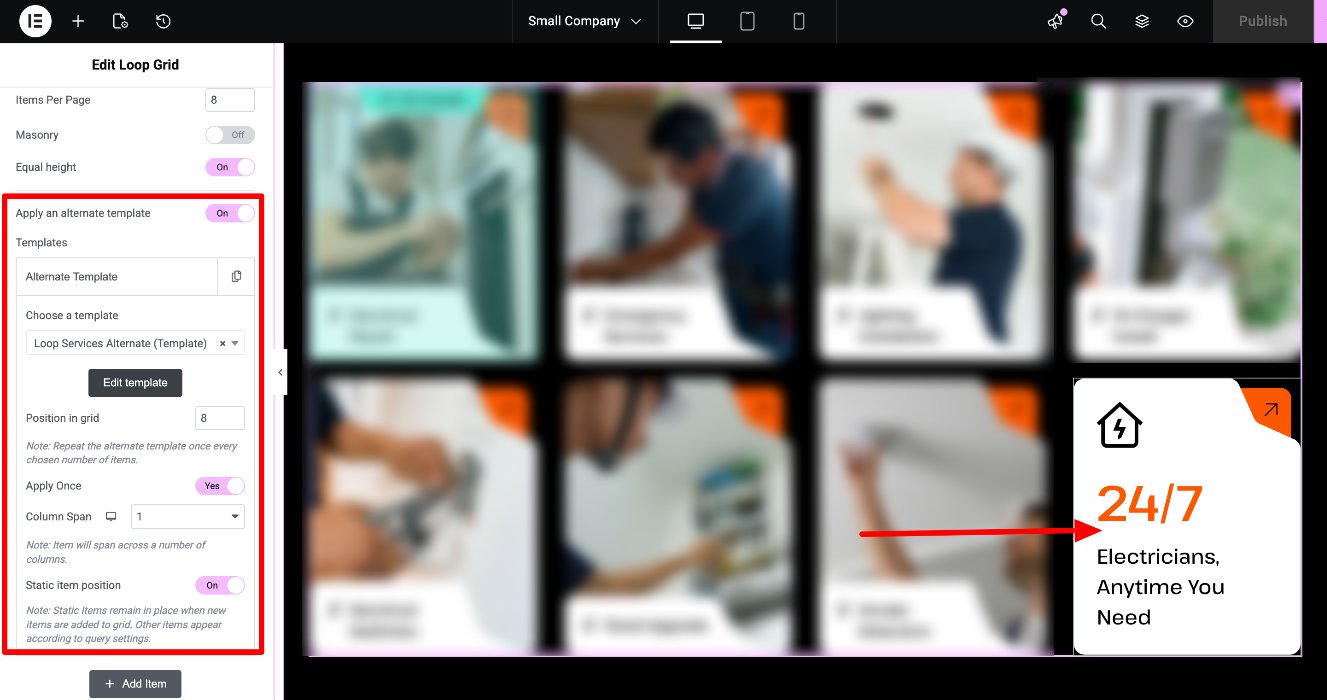
Click on Edit template to change the content:
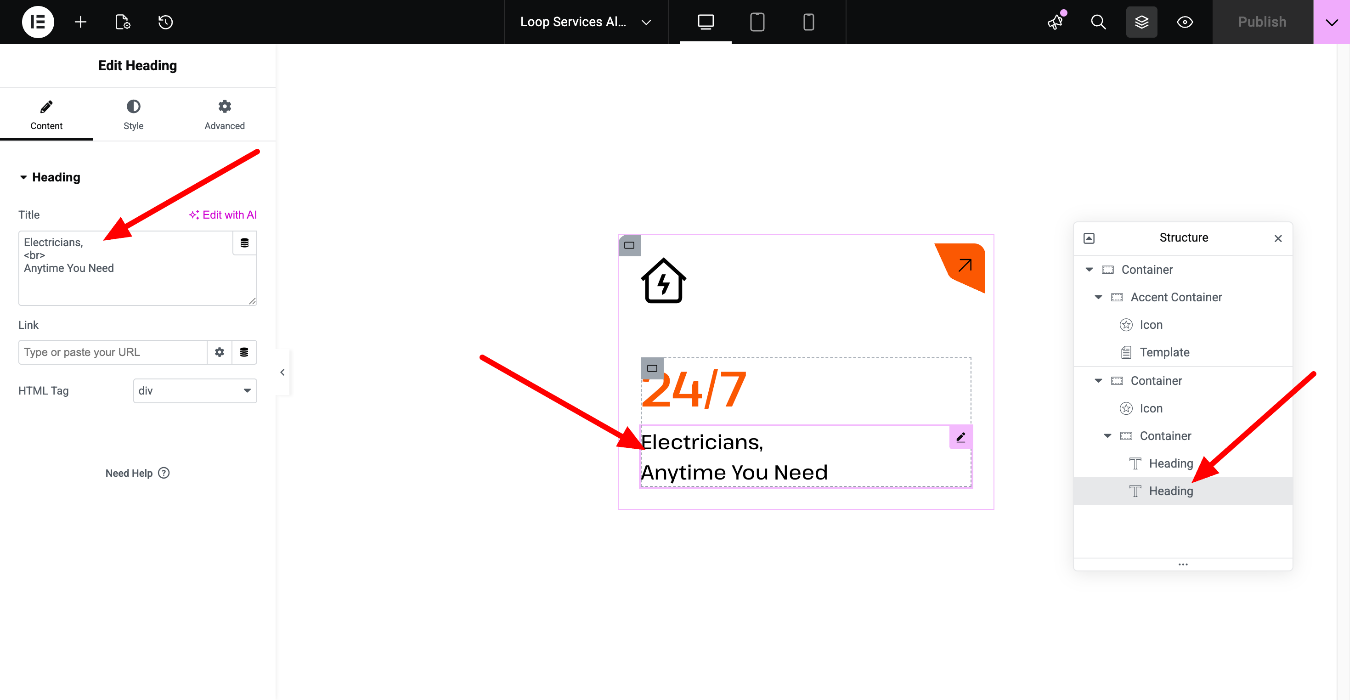
The link is set into this container's additional options:
You can check more information about the alternate templates here: https://elementor.com/help/how-do-i-add-an-alternate-template-in-a-loop-grid/
You can repeat the above steps to edit the Loop Grid & Carousels, available throughout the entire site,
including:
- Projects and Services loops here https://voltedge.vamtam.com/medium-company/
- Open positions loop here https://voltedge.vamtam.com/careers/