


Extend Your Support License from Your VamTam.com Account
Please follow the steps below:
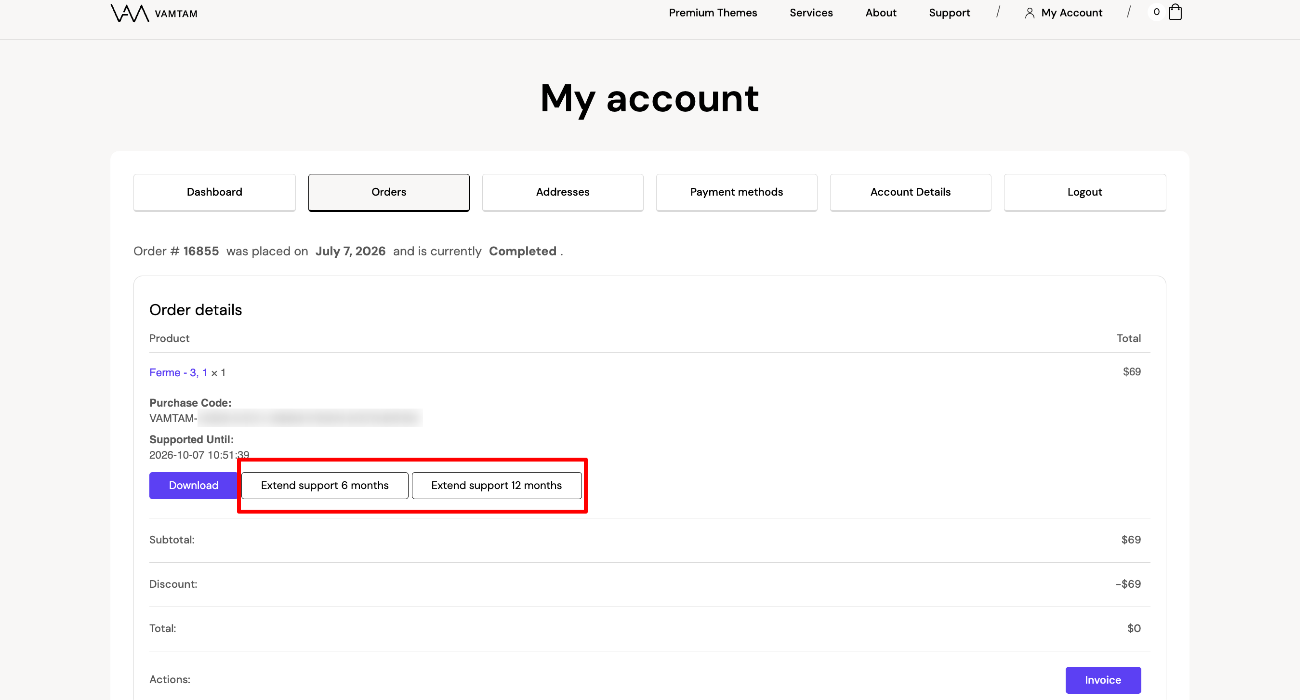
- Log in to your VamTam.com account and go to Orders > Order Details.
- Click either Extend Support for 6 Months or Extend Support for 12 Months.
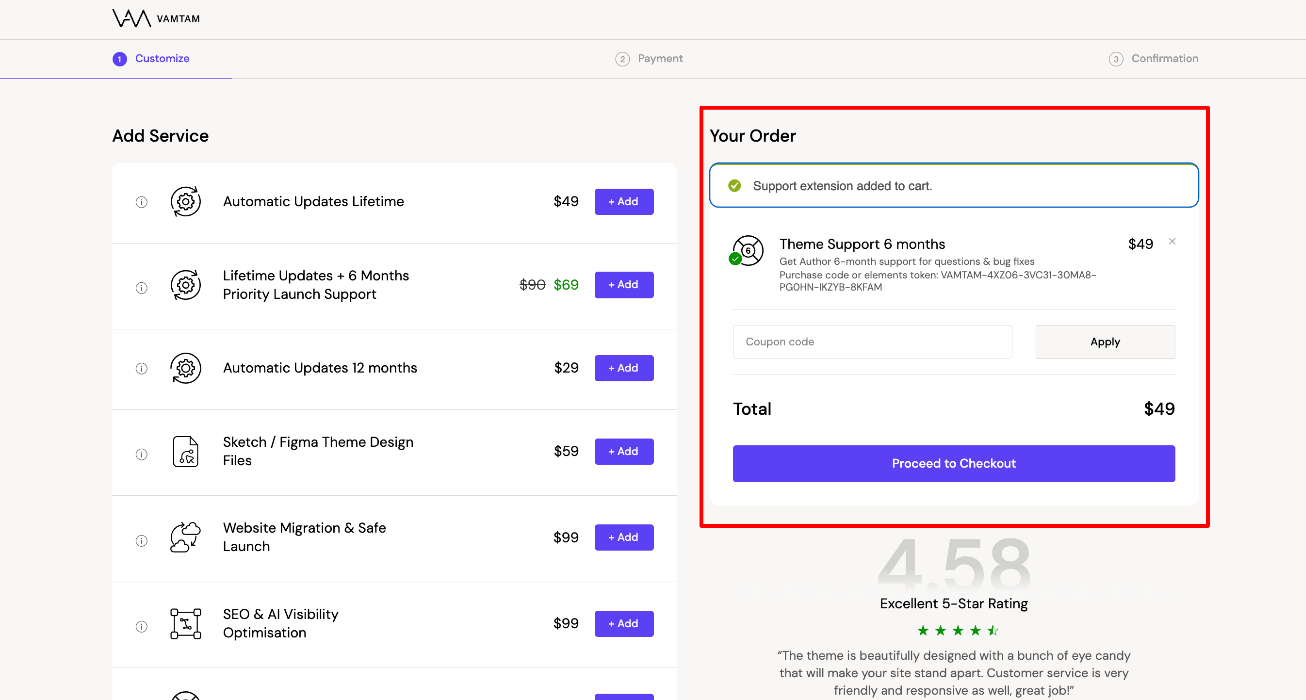
- You will be redirected to the Cart page. Click Proceed to Checkout to complete your purchase.
Purchase a Support Package from Services
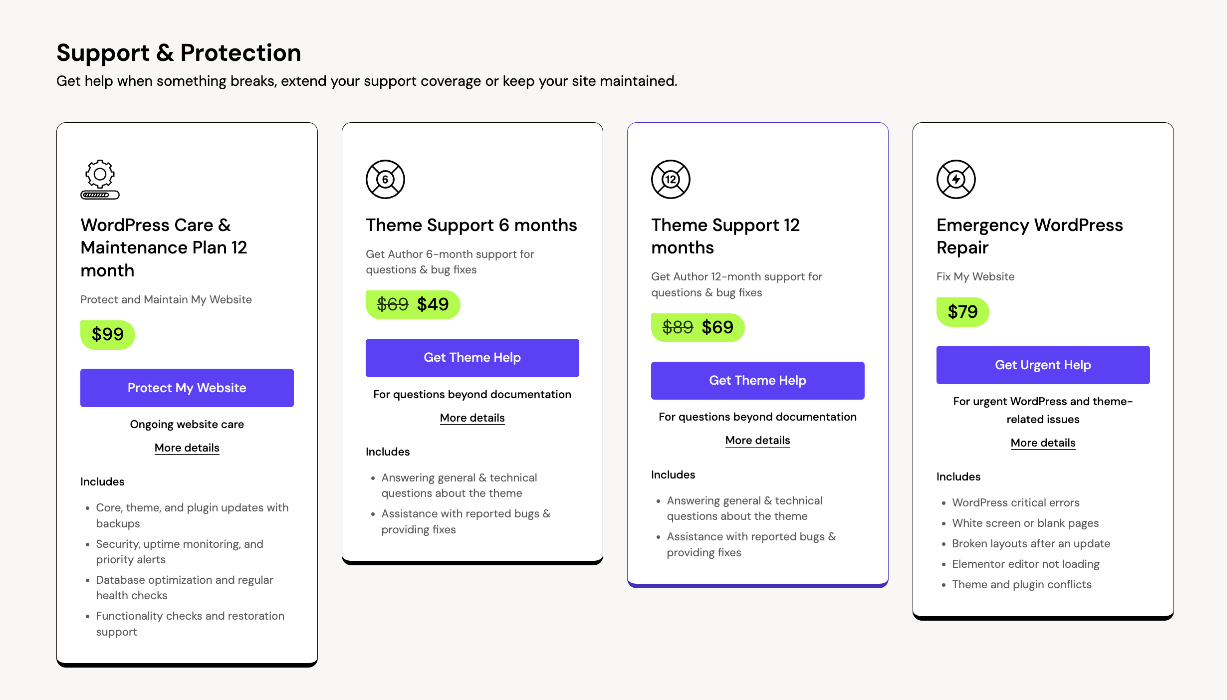
You can also purchase a 6-month or 12-month support package directly from VamTam.com > Services.
Go to:
VamTam.com > Services > Support & Protection
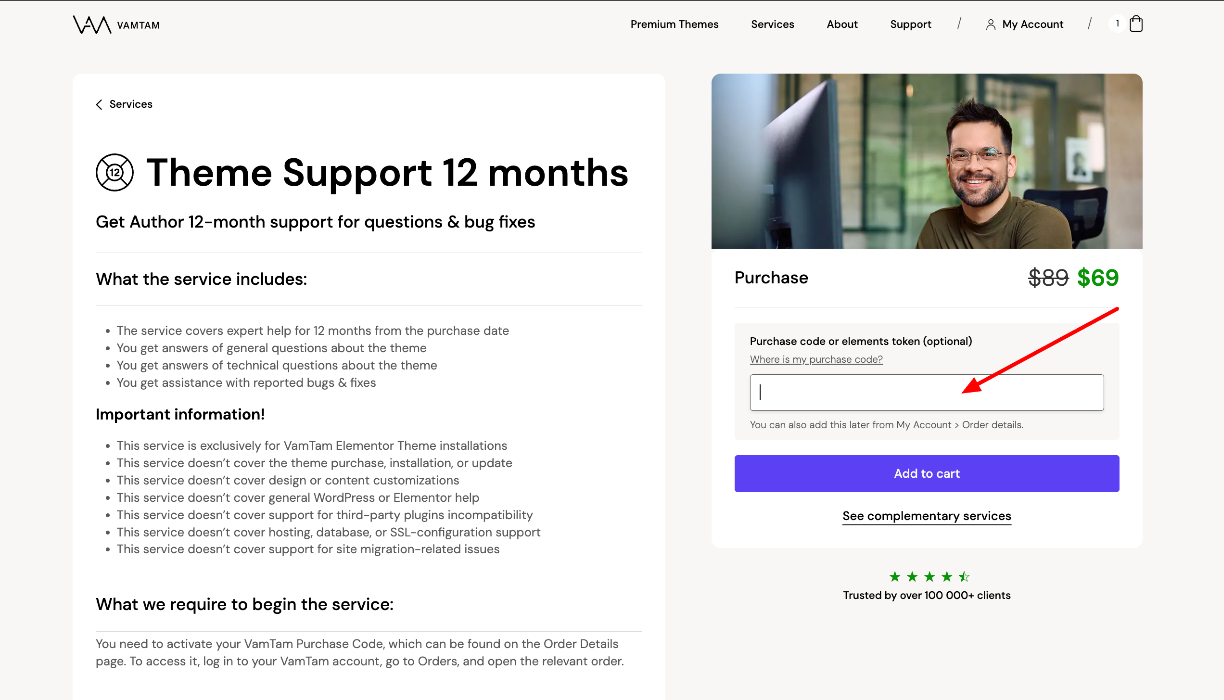
Enter your purchase code to link it to the support package.
You can also add the purchase code later from:
My Account > Order Details
Once your purchase is complete, your support license will be automatically extended and visible in your VamTam.com account.