


Keep your theme secure and current - updates arrive right in your WordPress dashboard, no downloads or FTP.
VamTam update services
- Automatic Updates - 12 Months - theme and bundled plugin updates for 12 months. Updates only, no support.
- Automatic Updates - Lifetime - the same, but forever. Pay once, never renew. Updates only, no support.
- Lifetime Updates + 6 Months Priority Launch Support - lifetime updates plus six months of priority help: installation, setup, theme troubleshooting and faster replies while you launch.
What happens after you order
1. You get a purchase code. Find it in your order email or in your VamTam account, under Orders → Order Details.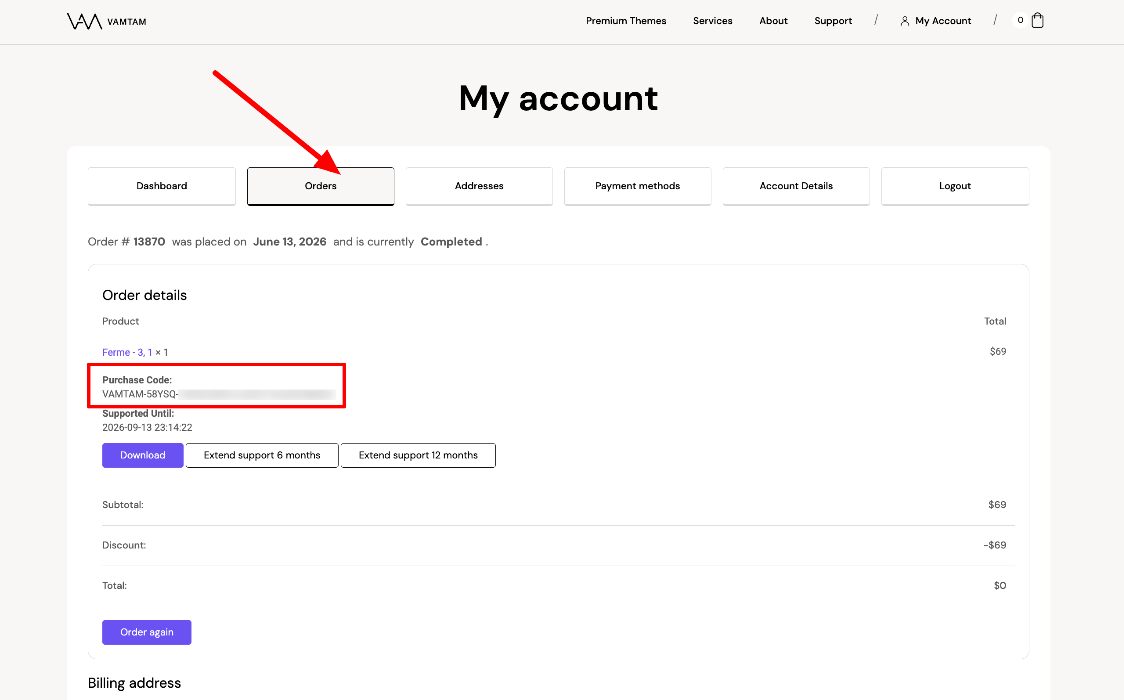
2. You register it once, in the VamTam section of your WordPress dashboard.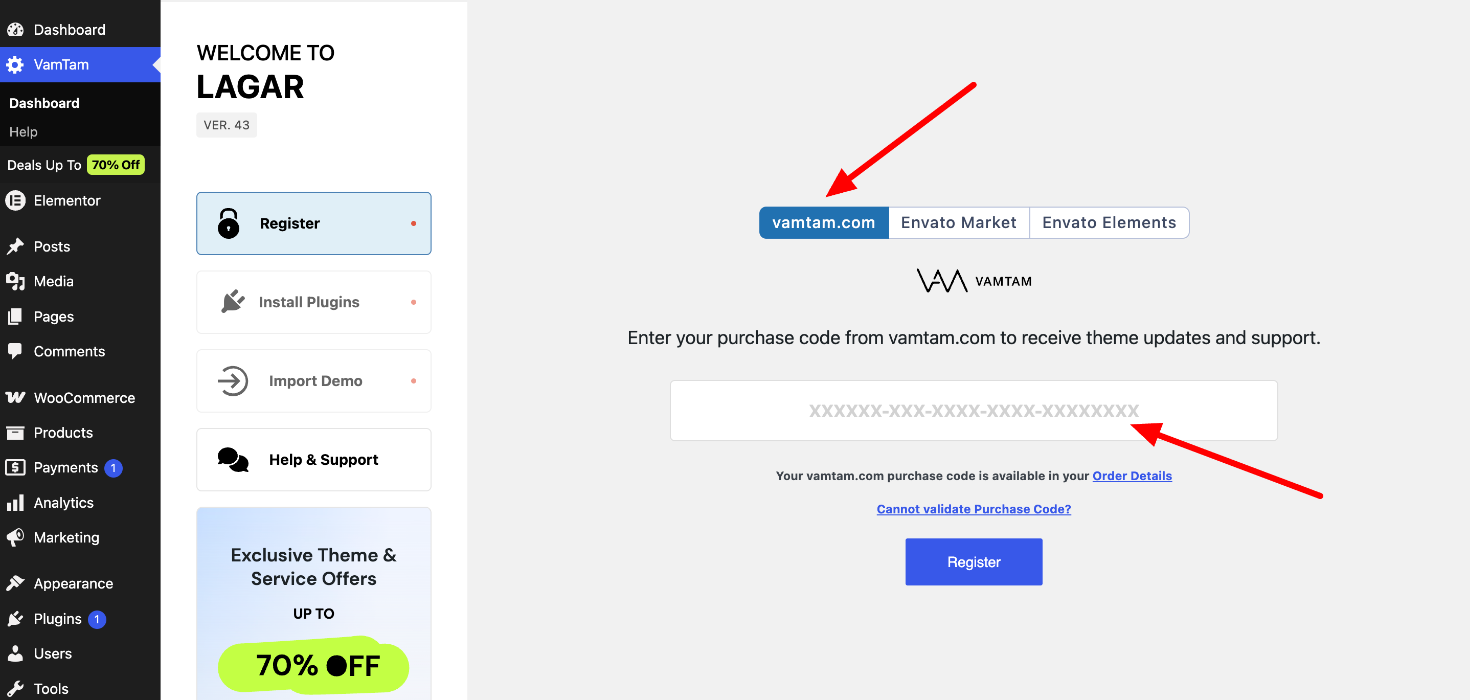
Notice: Envato Elements customers must unregister their Elements license code, and register with the VamTam purchase code they receive after purchasing the Automatic Updates service. This will activate automatic theme updates directly from the WordPress dashboard.
3. Updates arrive automatically. Install them with one click whenever a new version lands - see How to update a VamTam theme and the bundled plugins.
That’s the whole setup. One code, one time.
Renewing or upgrading
Your site keeps working when an update plan expires — the theme does not stop and nothing is deactivated. You simply stop receiving new versions until you renew. To extend or upgrade, browse all update and support options.